You can ask for this instead. Command Center can list your projects, create one, tell you what is still missing, and on "get this project ready" pick up the blockers it can clear itself. For the rest it tells you, per blocker, what it still needs from you.
What a project is
A project is a bounded working environment. You connect exactly the sources that belong to a piece of work: a mailbox, a Slack or Teams channel, one or more repositories, documentation, and the people working on it. The AI works per project with only those sources — not with everything your organization has. Every issue, work session and patch belongs to one project.
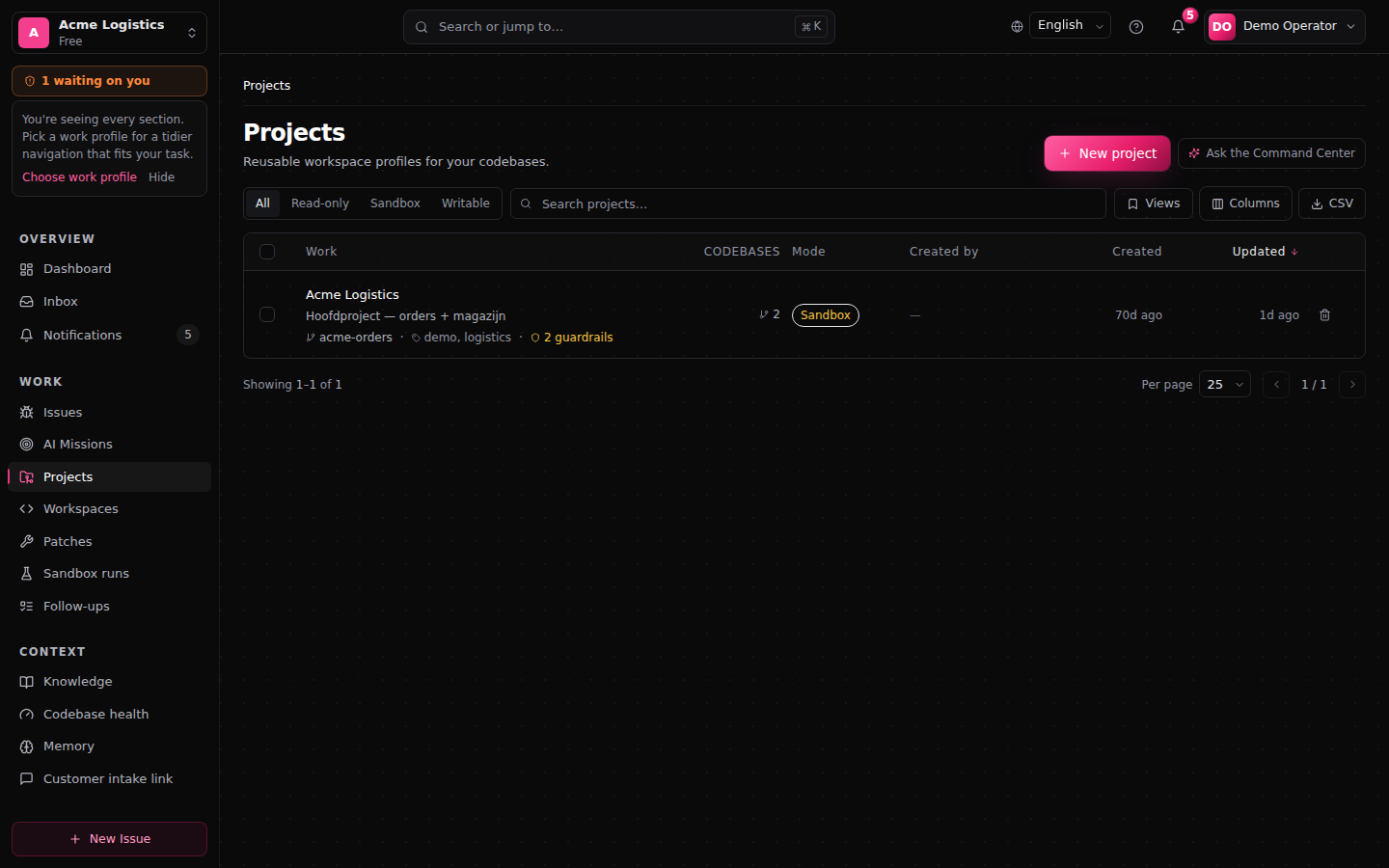
Creating a project
Who: an admin or manager of your organization. Connecting channels and mailboxes straight away also needs the right to manage integrations.
- Go to Projects and click New project.
- What do you want to achieve? Give a Project name, optionally a Description, and choose the Primary goal:
- Handle customer questions — support questions with reviewed answers. - Fix software problems — investigate issues with the code, test patches in a sandbox, deliver as a pull request. - Control deployments — follow deployment activity and organize approvals. - Investigate security risks (beta). - Unlock organization knowledge — answers from connected knowledge sources; no codebase needed. - Compose your own.
- Pick the sources that belong to the project (Slack and Teams channels, mailboxes, codebases). You only see sources you are allowed to see.
- Confirm the project context and optionally add more goals.
- What may FixControl do? — Only look, or Try changes in a safe copy (the default).
- Check the summary and choose Create project. Cancelling applies nothing.
Create now skips the remaining steps once name and goal are filled in.
The goal decides which sections the project shows, which checks appear under Setup & status, and what happens when an issue comes in: for Fix software problems FixControl starts an AI mission straight away; for a support project it waits until someone chooses Run fix. A goal never grants permissions and never bypasses approvals.
Setting up a project
A project consists of sections in the rail on the left. Whoever may set the project up sees the Set up group at the top; below it, Work holds the sections for daily work, and Also available the rest.
| Section | What for |
|---|---|
| Setup & status | Is the project ready, and what is the next step? One checklist with Required, Recommended and More options, and one verdict on top: Project ready, Setup incomplete or Needs attention. Something that is set up but not yet tested counts as not tested yet, never as done. A guided route walks through five themes: where work comes from, the codebase, communication, testing and approvals. |
| Connections | Which systems the project uses and whether they work: e-mail, chat, support software, code, deployments and alerts. Each with a status, a test, and a way to remove it from the project. |
| Customer communication | How replies to customers sound, look and are signed. |
| Members | Who works on the project, and in which project role. |
| Approvals & rules | What needs approval in this project, including Replies to customers. Per rule you see whether someone can actually approve it, where it comes from, and whether it is enforced. |
| Environments | Whether FixControl can build, start and test the application; where that happens; and the preview. |
| AI team | Which agents help, what they may do with your code, and the standing rules they follow. |
The connection wizards
Under Connections, each button opens a short wizard:
- Connect repository — choose where the code lives (GitHub, GitLab or Bitbucket, or a repository your organization already has; under More options also a folder on a computer or a server over SSH), sign in or use an existing connection, pick the repository and the branch, and confirm with Connect to {project}. FixControl reads the repository once. Changes arrive later as pull requests; your main branch is never changed directly.
- Connect mailbox — forward to an address from FixControl (where available), sign in with Microsoft 365, Gmail (only where offered), or an existing mailbox of your organization. A forwarding address shows Set up, waiting for the first email until mail has really arrived. Replying through the mailbox is off by default. See Connecting e-mail.
- Connect support software — Freshdesk, TOPdesk, Odoo Helpdesk, Jira or Linear. You choose which tickets belong to the project and whether FixControl posts progress back to the ticket. Tickets linked to a FixControl issue then belong to this project. A new ticket does not create an issue by itself. See Issue trackers.
- Add chat channel — a Slack or Teams channel, choosing per channel what it does: new requests, progress updates (not yet to Teams) or approval requests.
Signing in at Microsoft, Google or a Git provider returns you to the page you started on. A connection test only reads; it does not post or send anything.
Who can do what
| Organization admin or manager | Project Admin of this project | Other project members | |
|---|---|---|---|
| Link or unlink an existing mailbox, chat channel or support-software queue | Yes | Yes (two-factor required) | No |
| Add a new organization connection (a new Microsoft or Google account, a new forwarding address, a new Slack workspace or GitHub organization) | Yes | No | No |
| Connect a repository, deployment or alert source | Yes | No | No |
| Rename the project, change approval rules | Yes | No | No |
| Test a connection the project uses | Yes | Yes | Yes, where their project role may use connections |
The pages say what you may not do and who can. A Project Admin never reaches another project's settings. See Users & identity.
What the AI may do in this project
Under AI team you find the main choice What may agents do with your code?:
| Choice | Meaning |
|---|---|
| Only look | FixControl reads your code but never changes anything in it. |
| Try changes in a safe copy | FixControl tries changes in a separate, safe copy and proposes them. Your own code stays untouched. |
| Apply approved changes | Once a person approves a change, FixControl applies it to the linked codebase. For a Git repository that happens as a pull request. |
Below it are standing rules in your own words that agents on this project always follow, for example "Never touch /payments without review".
Let AI interpret chat messages (off by default) lets the AI read messages in the project's Slack and Teams channels first, instead of fixed word patterns. Free-form phrasing is then understood far more often, and one message can ask for several things. Only the understanding changes: every action still needs the same confirmation and approvals, and when the AI is unavailable the fixed patterns take over.
How replies to customers are sent and approved lives under Approvals & rules. See Replies to customers.
Environments: can FixControl build and test the application?
Under Environments and Code & environments you see the project's verified environment: the runtimes, services, images, steps and start commands a real run proved, and, during a verification, which phase it is in.
You can fill in:
- Environment settings — what cannot be read from the repository: how the application starts, port and readiness path, extra non-secret environment variables, system packages, extra install steps. Save and verify restarts the verification with those settings. They are checked by the same rules as the AI's proposals and still have to be proven by a run.
- How changes are validated — among other things pinning runtime versions, whether proof that the application starts is required, and whether validation in your own environment is allowed.
A verified environment without a start command is a normal outcome: the tests ran, nothing was started. The card says so and offers to work out a start command. See Verification and results and Change validation.
A database for verification runs
If your codebase uses database migrations (for example Prisma or Drizzle), the test needs a database to apply them. An administrator chooses per codebase under Settings → Codebases what happens. By default there is no database and migration steps are skipped. See Codebases.
Several services at once (pilot)
Where your organization switches this on in a pilot (off by default), a test can start the supporting services from the compose.yaml file in your repository next to the application: a database, cache or worker. The file is only read as configuration, never executed. FixControl checks every setting against a fixed list of what is allowed, starts the services itself in a network that exists only for that run and has no internet, and refuses what is not allowed (such as host folders, published ports or extra privileges) with the reason. Only the container running your tests has the code; the services do not. A passing run records which environment and which image versions were used. See Change validation.
Deleting a project
Deleting is reversible. The project leaves active work and can no longer be chosen for new work. Who deleted it, when and why is recorded, and the approvals, audit events and test evidence are kept. Restoring is only possible through the API by an admin (there is no restore button yet); ask your FixControl contact if needed.
FAQ
Can an issue belong to several projects? No, an issue belongs to one project.
Can a project span organizations? No. Organizations are strictly separated. See Security & audit.
I don't see the Set up group. You may not set this project up. The page names who can.
See also: Getting started · Admin guide → Admin onboarding · Verification and results